Cancel your plan
You can cancel your plan from the Billing page in a few clicks. You keep full access until the end of your current billing period. We keep your data for 90 days after your plan ends.
Part 1. Cancel your plan
- Click your account menu at the top right.
- Click Billing.
- Under Danger zone, click Cancel subscription.
- Read what happens after your plan ends.
- Tick the box to confirm you understand when your plan ends.
- Click Cancel plan.
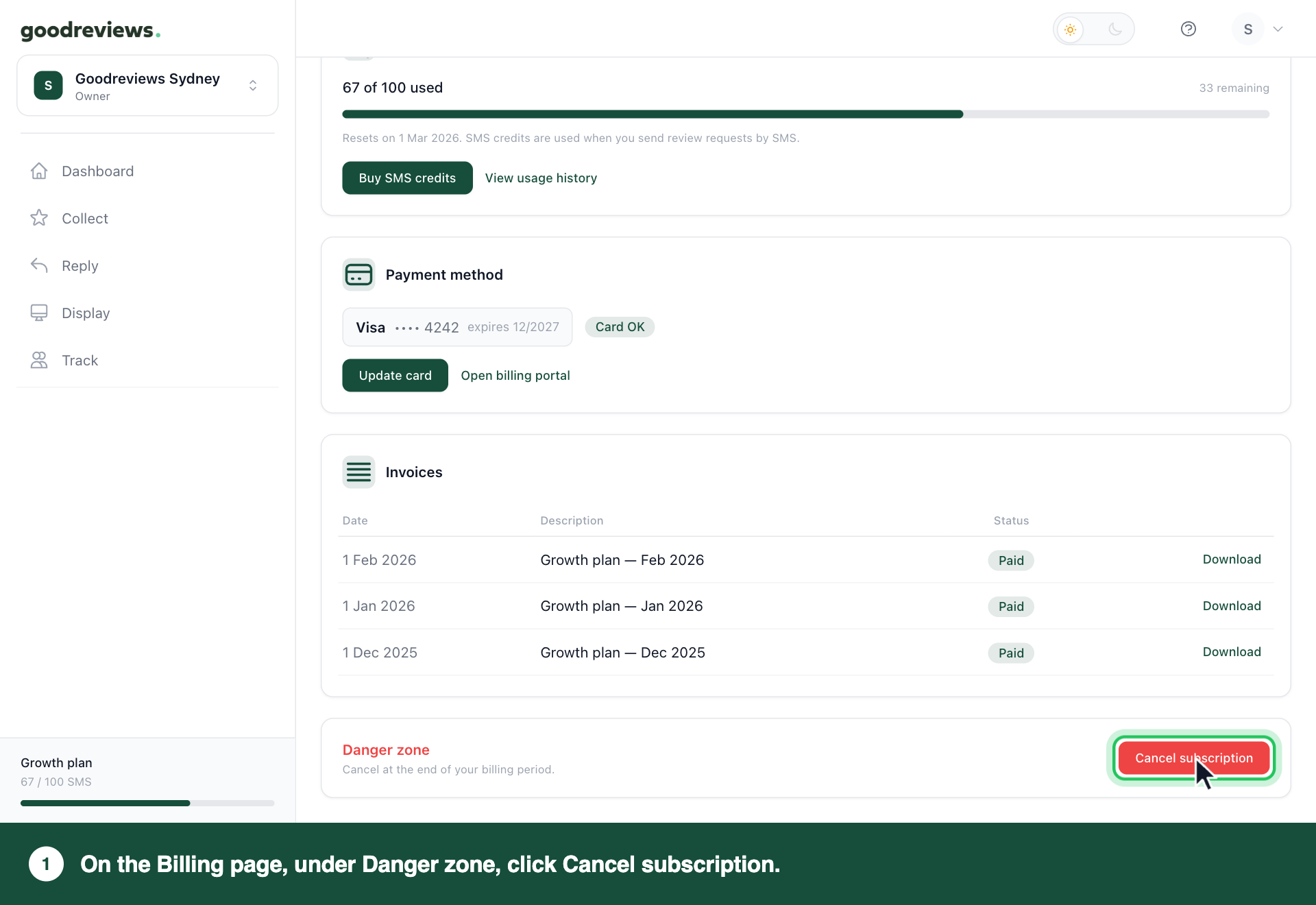
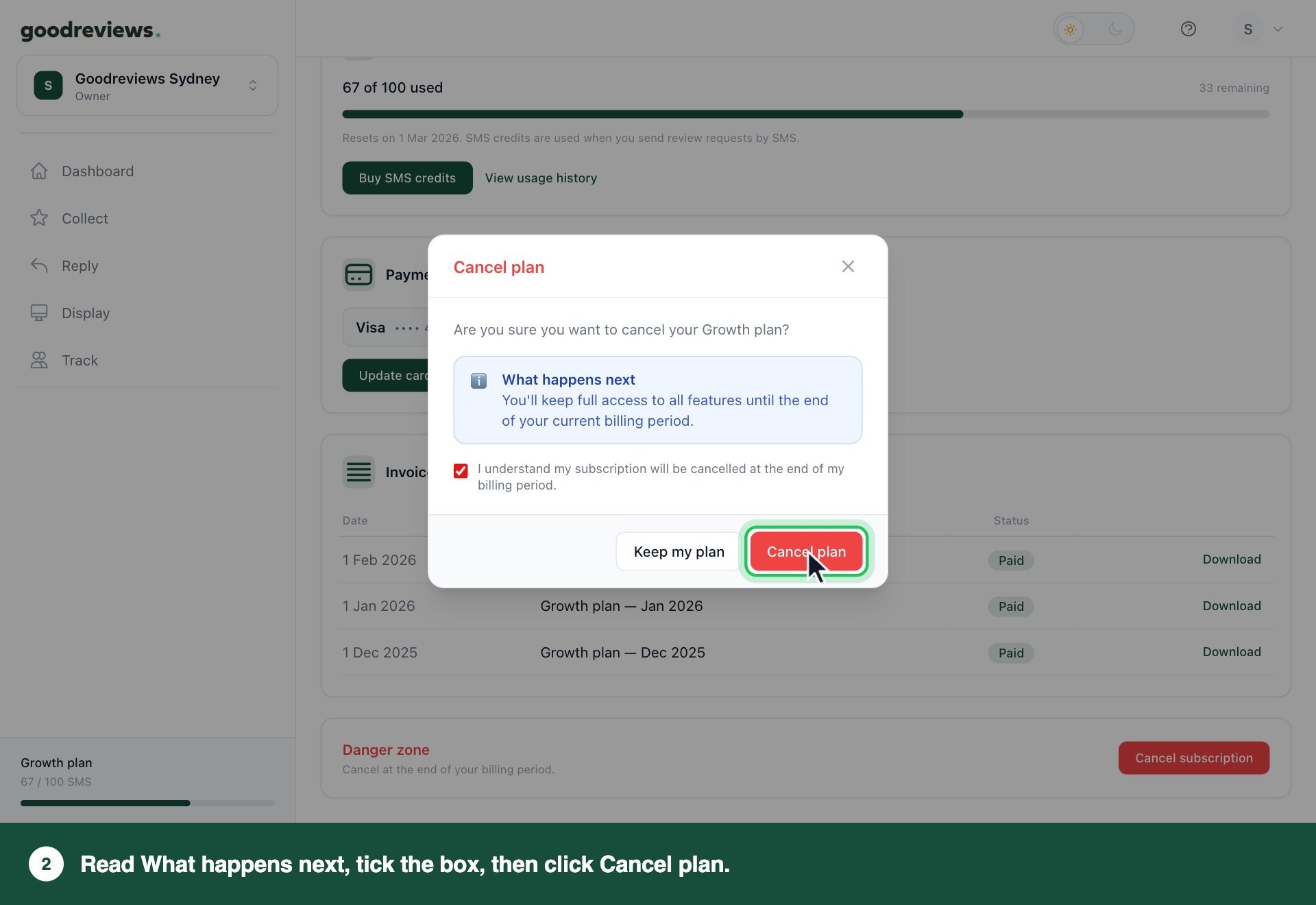
Changed your mind before step 6? Click Keep my plan. Nothing changes.
Part 2. Disconnect Google Business Profile
Do this before your plan ends, once you've finished with Goodreviews. Reviews stop syncing as soon as Google is disconnected.
- Click your account menu at the top right.
- Click Integrations.
- Click View details next to Google Business Profile.
- Click Disconnect.
- In the Disconnect Google Business Profile? window, click Disconnect.
How to check it's cancelled
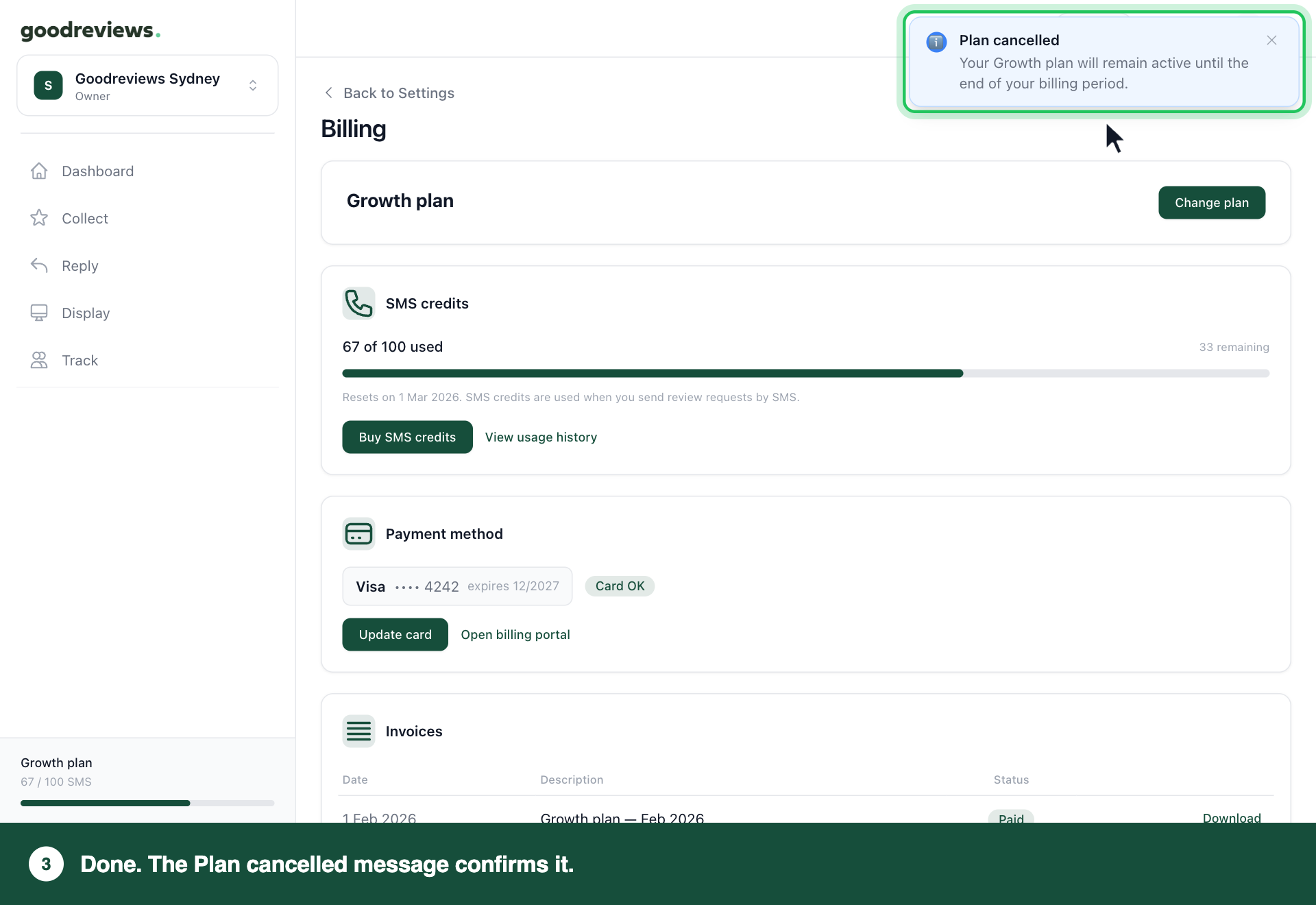
You'll see a Plan cancelled message straight after step 6 of Part 1. It says your plan stays active until the end of your billing period.
What happens after you cancel
| When | What happens |
|---|---|
| Until the end of your billing period | You keep full access to all features. |
| When your billing period ends | Automations stop sending review requests, and your review widgets stop showing on your website. To use Goodreviews again, choose a plan. |
| For 90 days after your plan ends | We keep your reviews and settings, so you can pick up where you left off. |
Lifecycle emails stop. You'll still get billing and password emails.
Common questions
Do I get a refund for the rest of my billing period? No. There's no refund for a part-used billing period. You keep full access until it ends.
Will my customers still get review requests after my plan ends? No. When your plan ends, automations stop sending review requests, and your review widgets stop showing on your website.
What happens to my data? We keep your reviews and settings for 90 days after your plan ends. After that, they're deleted. You can't export your data from the app. If you'd like a copy, email success@goodreviews.io before then and we'll send it to you.
Can I come back later? Yes. Choose a plan within 90 days of your plan ending, and you pick up where you left off.
Why can't I see Cancel subscription? Your plan is probably already cancelled. Danger zone doesn't show on the Billing page once a plan is cancelled.
Still stuck? Email success@goodreviews.io.