Connect Square
Once Square is connected, Goodreviews asks for a review after a booking, a payment or an invoice. It takes two parts: connect Square once, then create an automation that says when to ask. Allow about 3 minutes.
Before you start
- You need a Square login. Goodreviews asks for read access to your Square account, and Square shows you the full list before you approve.
- Google Business Profile should already be connected in Goodreviews.
- Review requests are marketing messages. Recipients must have opted in. See Consent and SMS rules.
Part 1. Connect your Square account
- Click your account menu at the top right.
- Click Integrations.
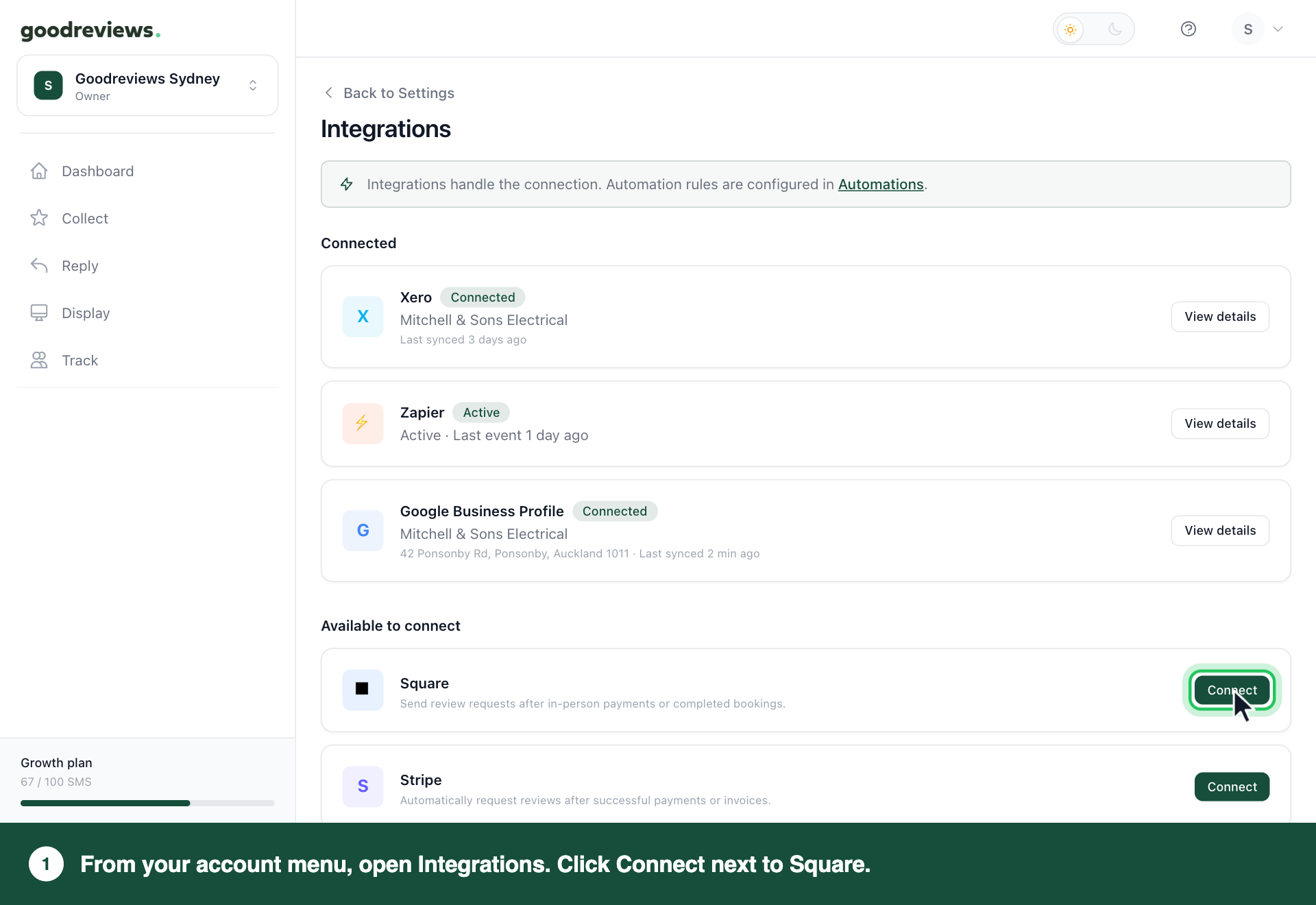
- Under Available to connect, click Connect next to Square.
- Click Connect Square.
- Log in to Square.
- Approve read access for Goodreviews.
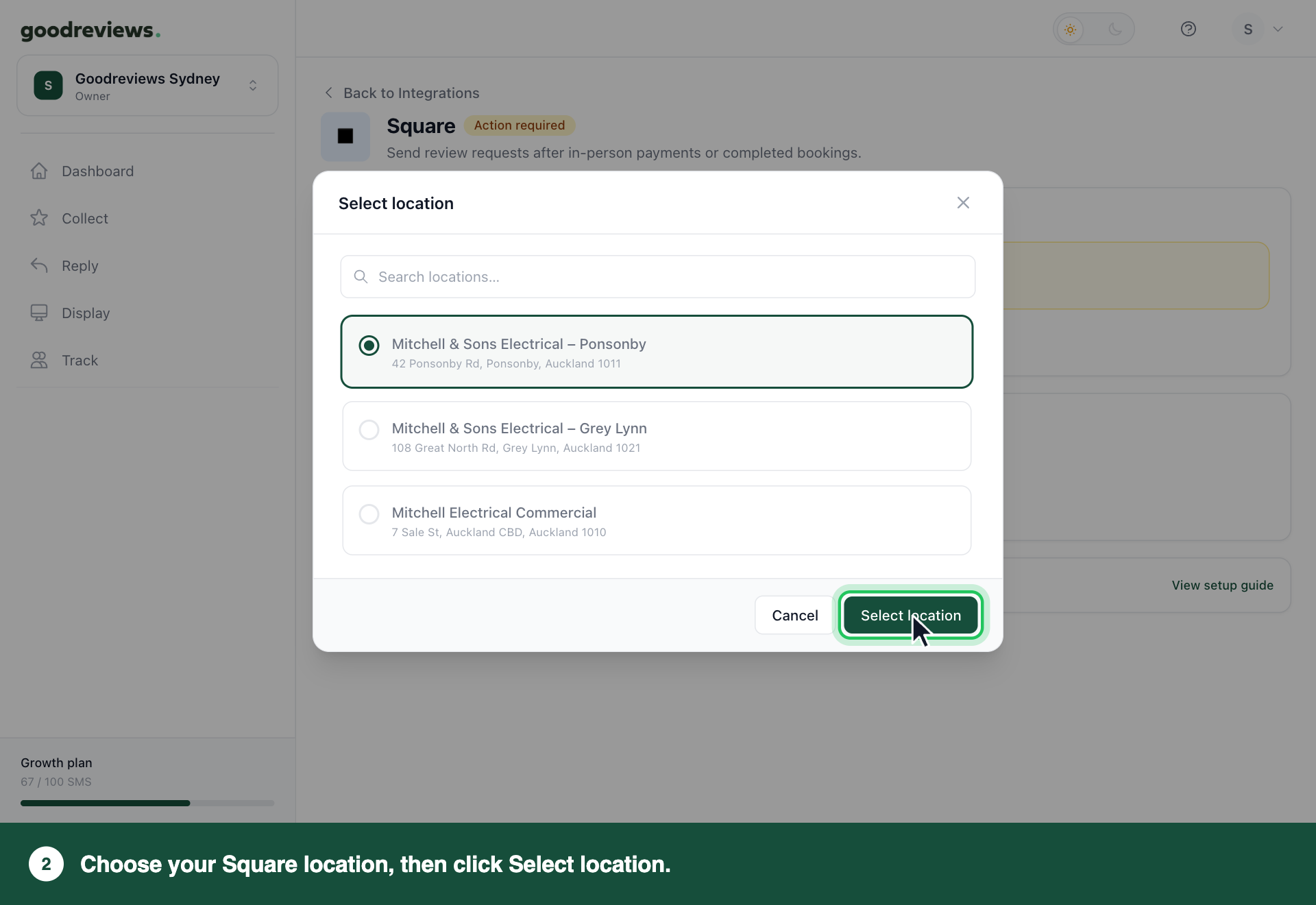
- Choose the Square location for this Goodreviews account.
- Click Select location.
Square now shows Connected. Nothing is sent yet. Part 2 tells us when to ask.
Part 2. Create an automation
Steps 4 to 6 are one screen each. Click Continue after each one.
- Click Collect in the sidebar.
- Click Automations.
- Click Create automation.
- Choose Square.
- Choose the moment we should ask. See the table below.
- Choose when to send. Send after is set to 2–5 hours by default. To change it, pick another option from the list, from Immediately to 30 days.
- Check the summary. It reads like this: "When a payment is completed in Square, send a review request 2–5 hours later using your review request templates."
- Click Create automation.
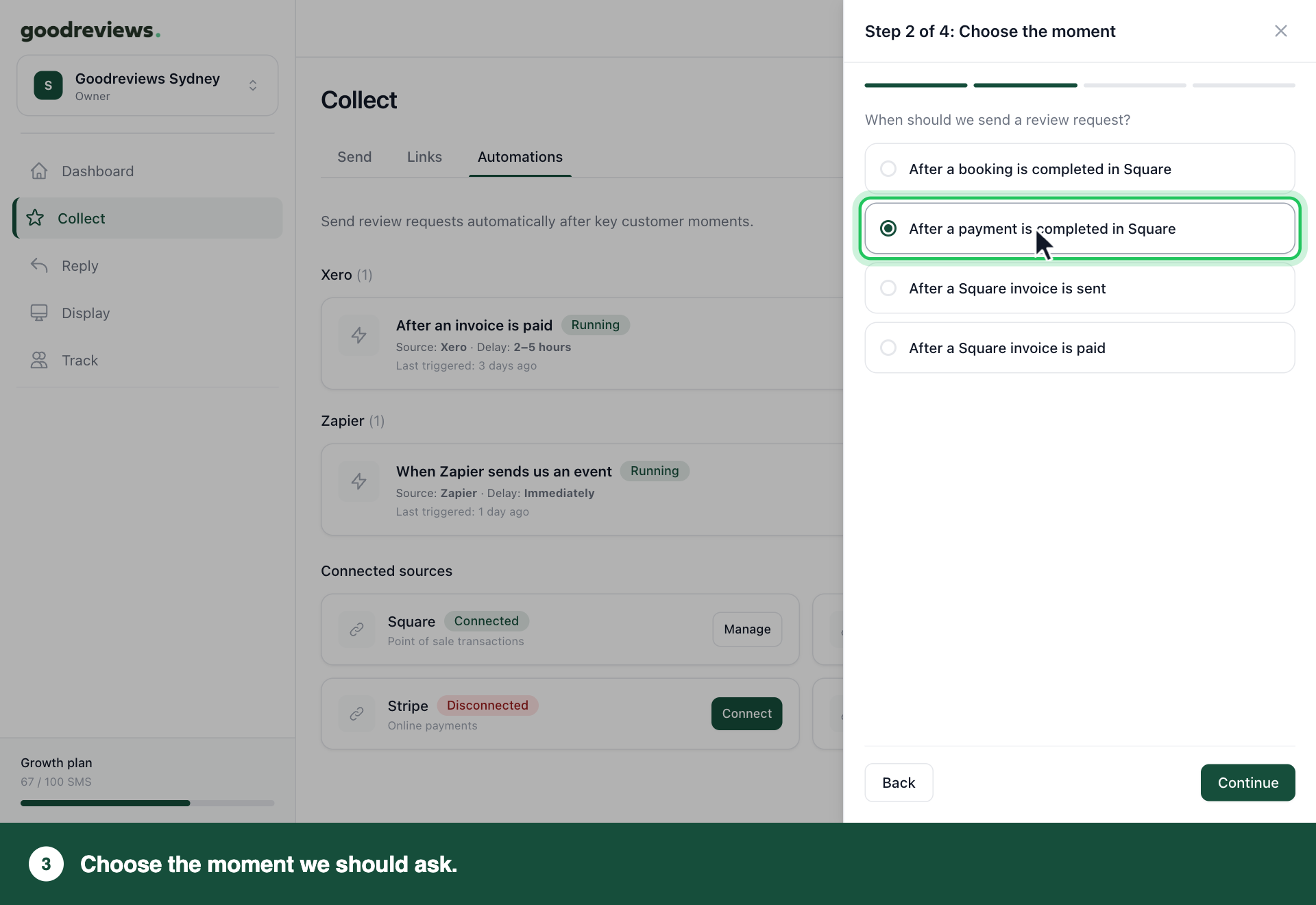
The automation starts running as soon as you create it. You can pause or delete it at any time.
| Moment | Good for |
|---|---|
| After a booking is completed in Square | Salons, clinics, physios. Use this if you take deposits. Only covers bookings made through Square Appointments. |
| After a payment is completed in Square | Cafes, retail and counter service. Not if you take deposits. For in-person payments, the customer must give their email or mobile for a digital receipt. |
| After a Square invoice is sent | Trades and services that bill before payment. |
| After a Square invoice is paid | Anyone who wants the job finished and paid before asking. |
Want more than one moment? Create one automation for each. A moment that already has an automation is greyed out and says Already in use.
How to check it's working
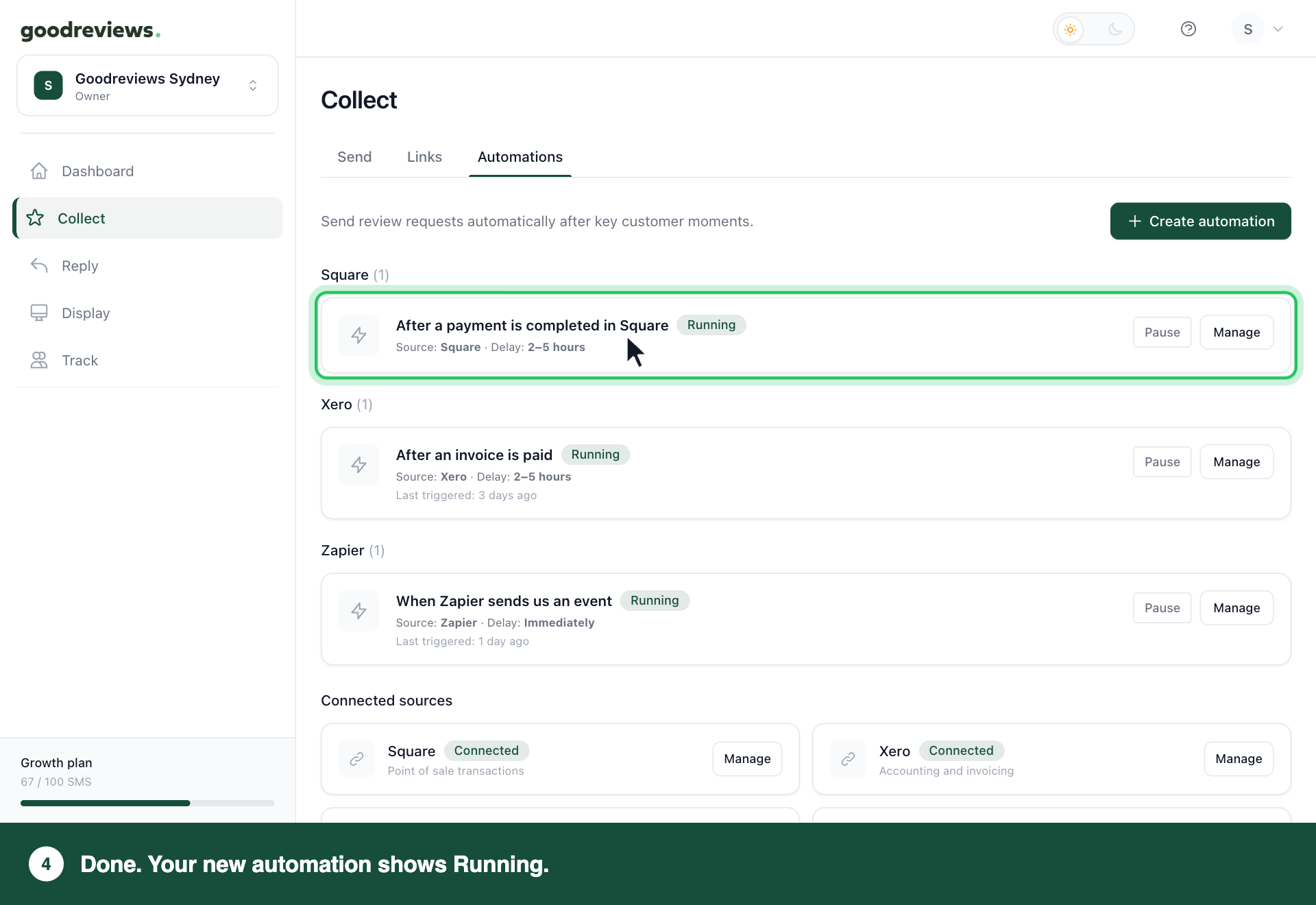
Click Collect in the sidebar, then click Automations. Your new automation should say Running, with Source: Square.
| Status | What it means | What to do |
|---|---|---|
| Running | Requests are going out. | Nothing. |
| Paused | Nothing is being sent. It shows why: you paused it, or Square is disconnected. | If you paused it, click Resume. If Square is disconnected, see "If you need to reconnect Square" below. |
| Needs attention | Something is stopping requests. | Click Manage and follow the message. |
| Disconnected | Square is no longer connected. | See "If you need to reconnect Square" below. |
If you need to reconnect Square
Click your account menu at the top right, then click Integrations, and connect Square again. Your automations start again by themselves, so you don't need to click Resume. An automation you paused yourself stays paused until you click Resume.
Anything that happened in Square while it was disconnected is not sent later. To ask those customers, click Collect in the sidebar and send them a request from the Send tab. See Send review requests.
Common questions
Why didn't my customer get a request? For in-person payments, the customer must give their email or mobile on the spot for a digital receipt. Without it, we can't send a request. Your rest period also stops anyone asked recently from being asked again.
What if we don't have the customer's name? The request still goes out. We leave the name out of the message.
Will a customer get two requests if they book and pay? No. They get one request, and the rest period stops repeats.
We take a deposit when customers book. Which moment should we use? Use After a booking is completed in Square, so we ask after the appointment. If you don't book in Square Appointments, use Zapier with Google Calendar's Event Ended. See Connect Zapier.
Don't use After a payment is completed in Square, and pause or delete it if you have one. A deposit counts as a payment, so we'd ask before your customer has had the service. We can't see what a payment was for or how much it was.
How do I change the Square location or disconnect Square? Click your account menu at the top right, then click Integrations. Click View details next to Square. Click Change location or Disconnect.
If you disconnect, automations that use Square stop sending. They start again by themselves when you connect Square again.
Still stuck? Email success@goodreviews.io.