Manage multiple accounts
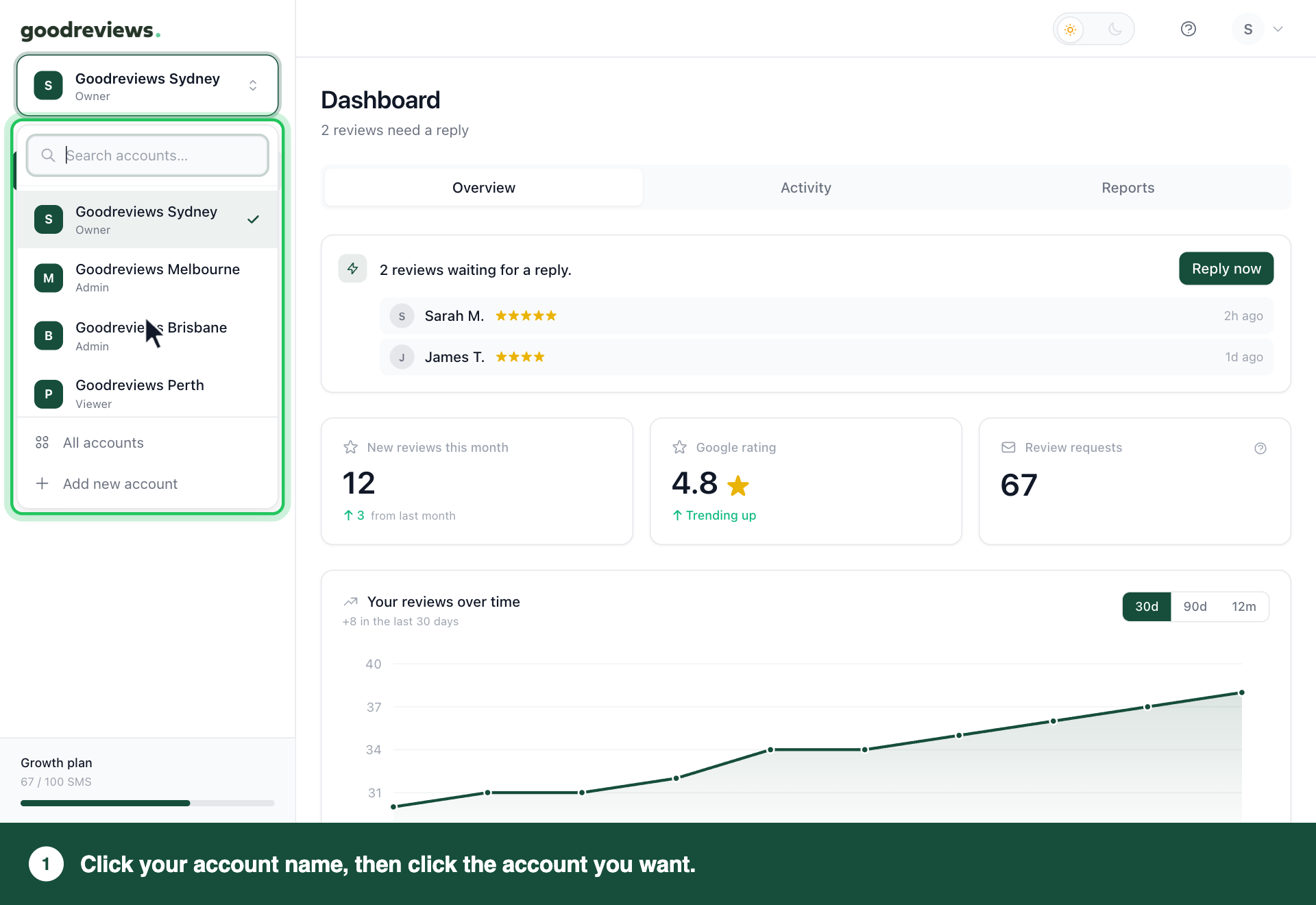
Each location you run has its own Goodreviews account. Click your account name at the top of the sidebar to switch between them, or to see all your locations in one view. Each takes two clicks.
Part 1. Switch accounts
- Click your account name at the top of the sidebar.
- If you have a long list, type in Search accounts… to find the one you want.
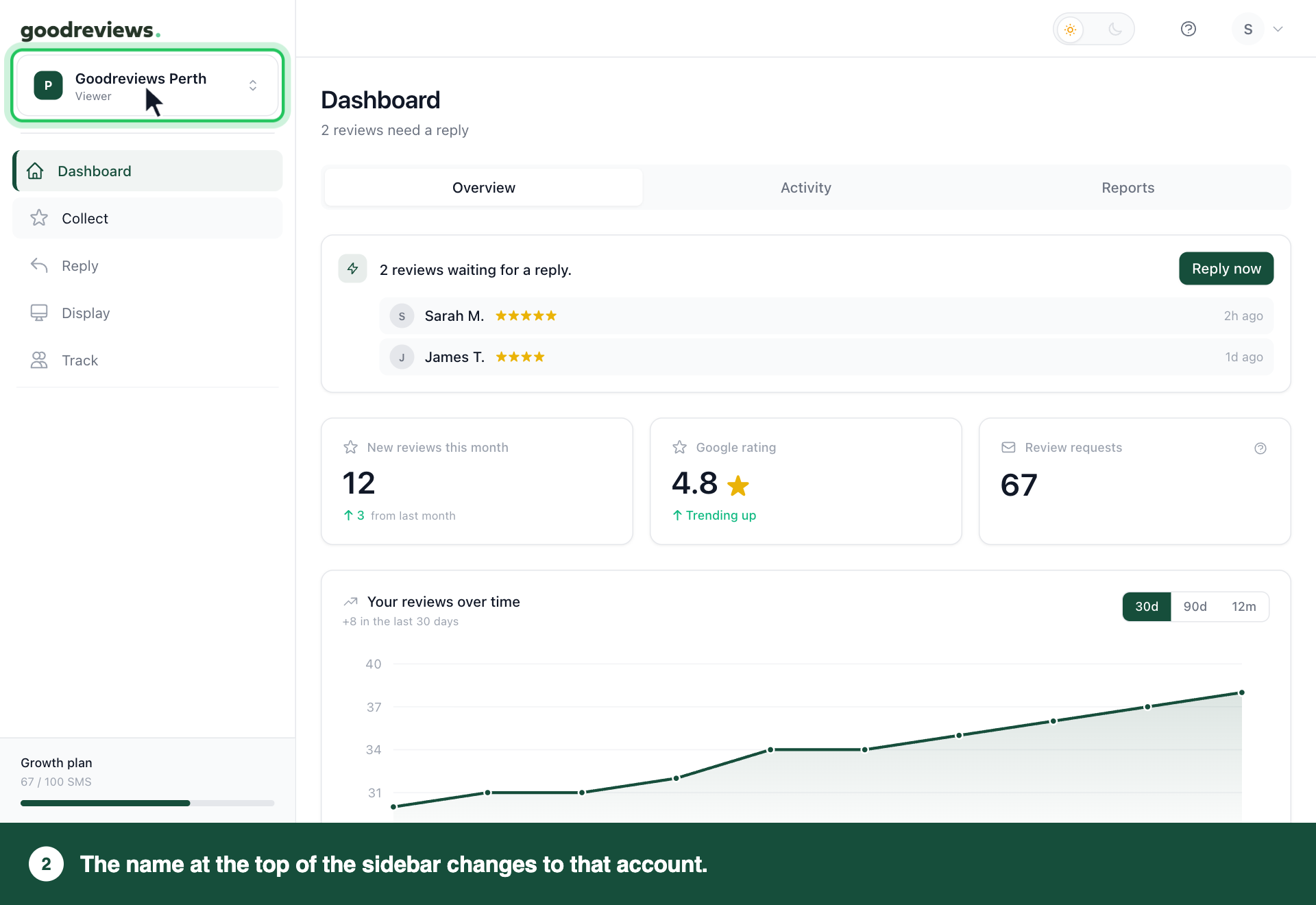
- Click the account you want.
The name at the top of the sidebar changes to that account.
Part 2. See all your accounts
- Click your account name at the top of the sidebar.
- Click All accounts, below your list of accounts.
A dashboard for all your locations opens. You can open any of your accounts from there.
How to check it's working
Click your account name at the top of the sidebar. The account you're in has a tick next to it.
Common questions
Do I pay for each account? Yes. Each location needs its own account and its own plan. See Plans, credits and limits.
Does each account have its own SMS credits and settings? Yes. SMS credits and settings are separate for each account.
How do I add another location? Click your account name at the top of the sidebar, then click Add new account at the bottom of the menu. Each location needs its own plan.
Still stuck? Email success@goodreviews.io.