Plans, credits and limits
Goodreviews has three plans: Essentials, Growth and Scale. Each plan includes SMS credits every month, and you can buy more if you run out. This page has the numbers.
Plans and monthly credits
Plan | Price a month | Monthly SMS credits |
|---|---|---|
Essentials | $29 | 45 |
Growth | $49 | 100 |
Scale | $99 | 300 |
Every plan has every feature, and email requests are unlimited on a paid plan. Every plan includes email support, and Scale also gets a call with us when you need one.
Pay yearly and you save 10%. If you pay yearly, you still get your SMS credits every month.
In Australia, prices are in AUD and exclude GST. Everywhere else, they're in USD with no tax added.
Monthly credits refresh each month and don't roll over.
Part 1. Check your plan and credits
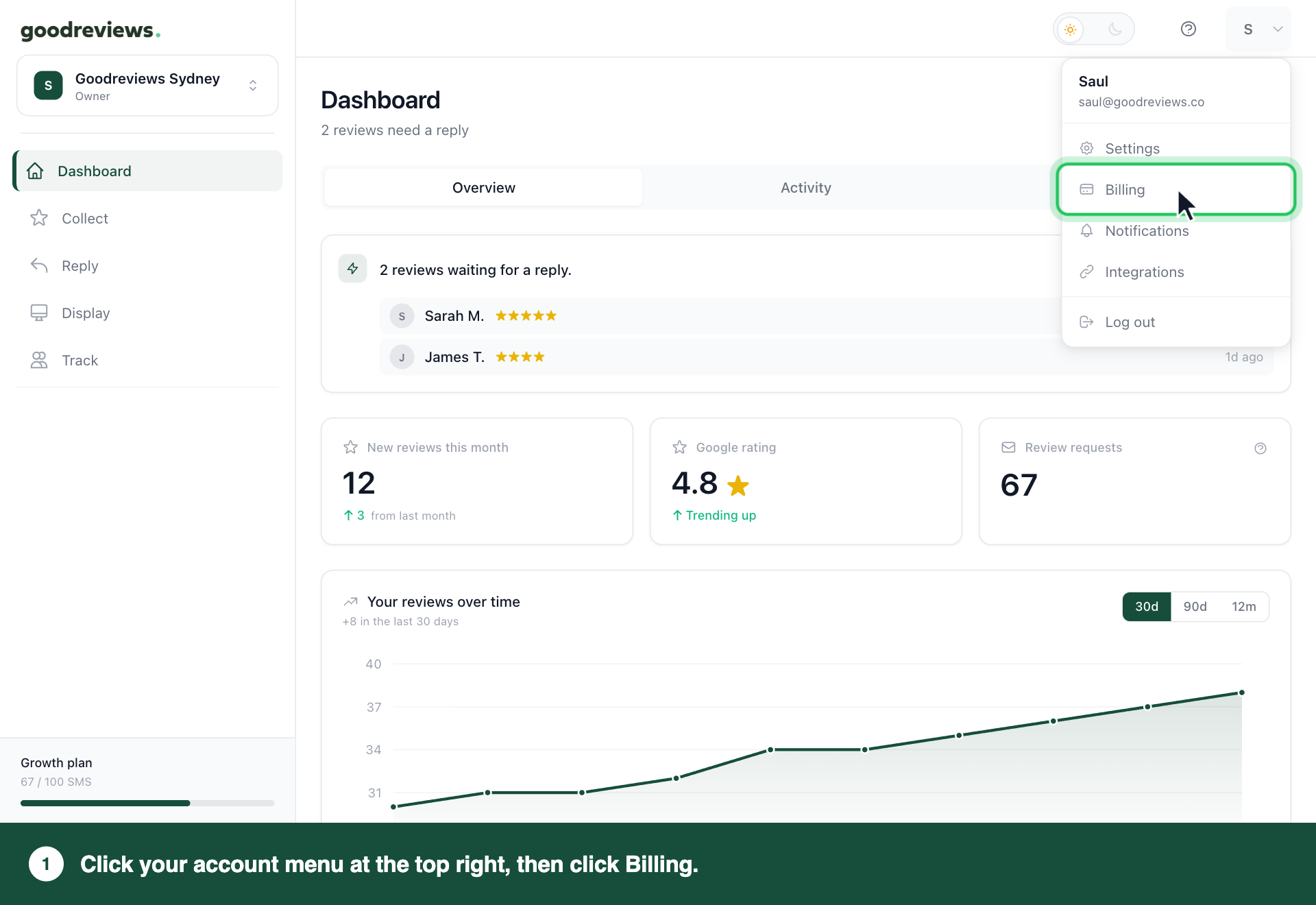
Click your account menu at the top right.
Click Billing.
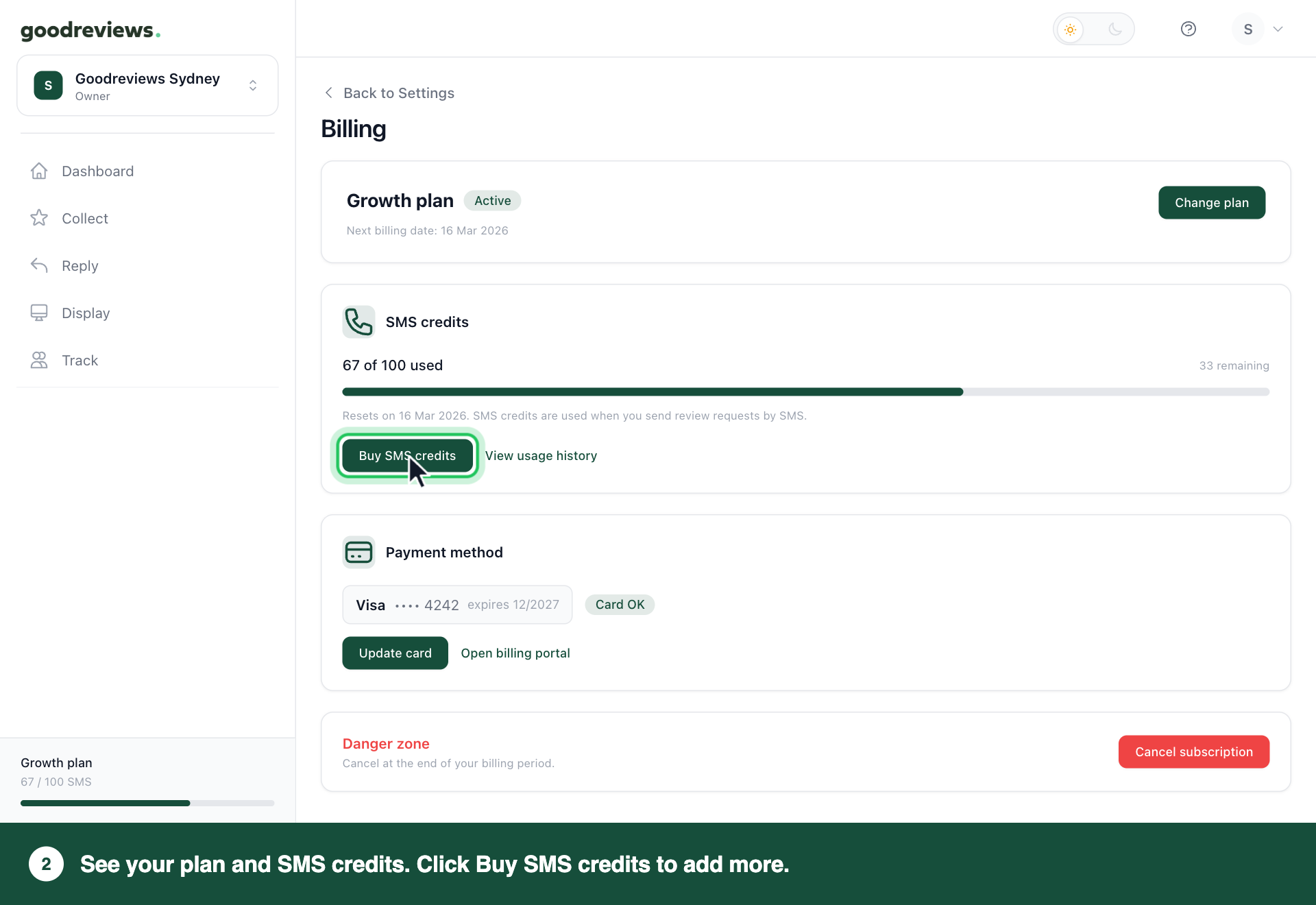
The Billing page shows your plan at the top. Under SMS credits, it shows how many you've used, how many remain and when they reset. The bottom of the sidebar also shows your plan and SMS used.
Part 2. Buy more SMS credits
Click your account menu at the top right.
Click Billing.
Under SMS credits, click Buy SMS credits.
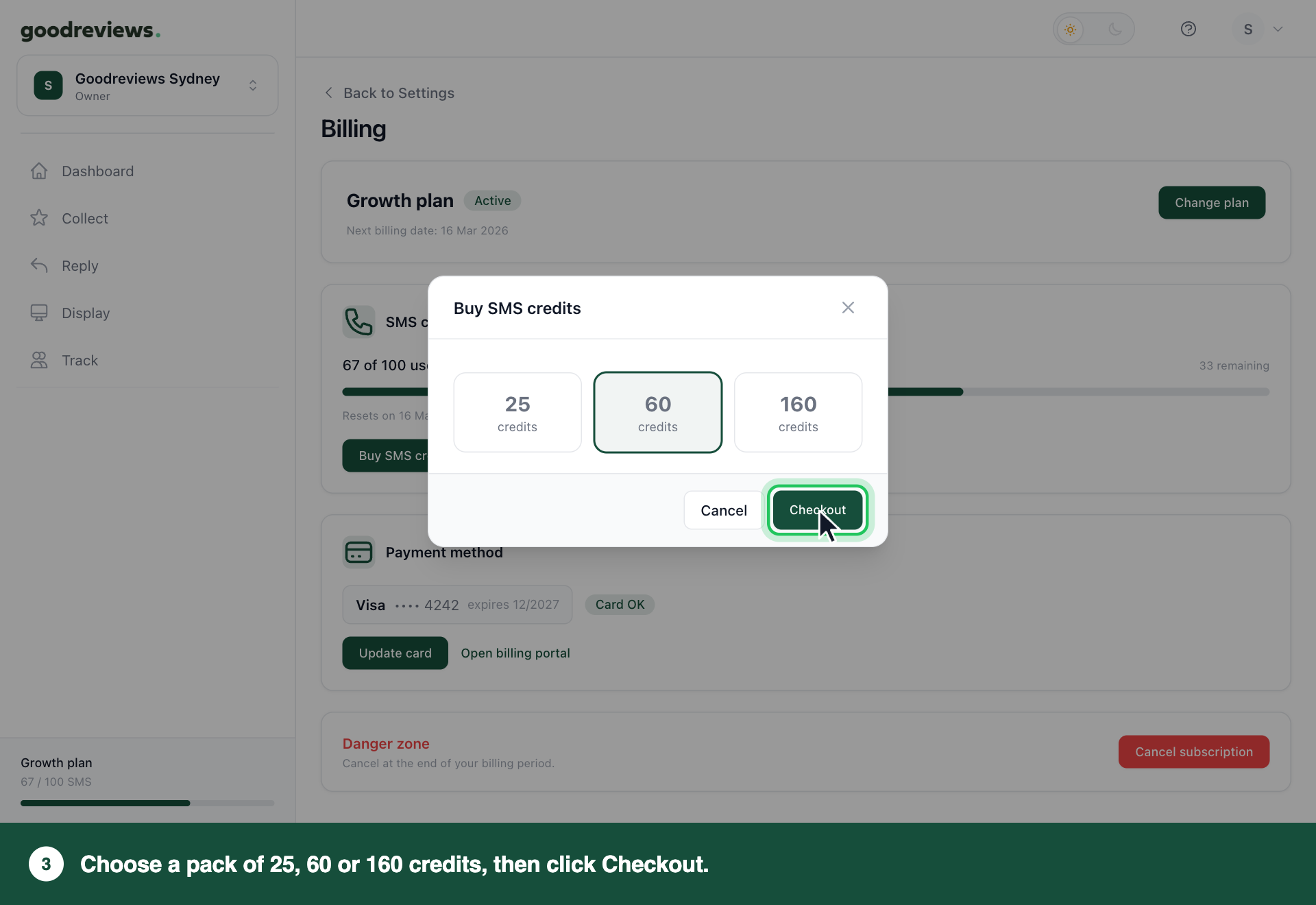
Choose a pack.
Click Checkout.
Pack | Price |
|---|---|
25 credits | $10 |
60 credits (recommended) | $20 |
160 credits | $50 |
We charge the card on file, and the credits are added straight away. Top-up credits don't expire.
Want a different option? Email success@goodreviews.io.
Your balance shows under SMS credits on the Billing page, with monthly and top-up credits listed separately. To see the same split in the sidebar, click the arrow next to your plan at the bottom.
When your credits run out
We use your monthly credits first, then your top-up credits. If you have none left, SMS requests don't send. They wait in Track until you resend them, even after you top up or your monthly credits refresh.
Buy more credits. See Part 2.
Click Track in the sidebar.
Click Waiting for credits.
Click Resend all.
A request that was waiting for credits and never went out doesn't count towards your rest period, so you can resend it.
Sending limits
Limit | What it means |
|---|---|
One request per transaction | Each customer gets one request per transaction. |
Rest period | After that, we wait 1, 2, 3, 4, 5, 6, 9 or 12 months before asking the same customer again. You choose which. The default is 6 months. |
To change your rest period, see Change your review settings.
Common questions
Do unused credits roll over? Monthly credits don't. They refresh each month. Top-up credits don't expire, so any you haven't used carry over.
What uses a credit? Each customer you send an SMS request to uses 1 credit. That covers the first SMS and the SMS reminder.
How do I change my plan? Click your account menu at the top right, then click Billing. Click Change plan, then click the button for the plan you want, like Switch to Scale.
Stripe's billing portal opens to confirm it. Your new plan starts straight away, and Stripe works out the difference for the rest of your billing period.
If you're on a free trial, changing plan ends the trial. See Change your plan, card or invoices.
Is there a free trial? Every plan starts with a 7-day free trial. You add a card when you sign up, and you're not charged until the trial ends. Your trial includes 30 SMS credits and 100 email requests on us.
What happens to my data if I cancel? We keep it for 90 days after your plan ends. See Cancel your plan.
Still stuck? Email success@goodreviews.io.